01
Cluster → Accept
Four “add to cart” spellings are one action. Accept one canonical, Cart Item Added, and the rest become aliases. Why? shows the shared tokens and properties behind the match.
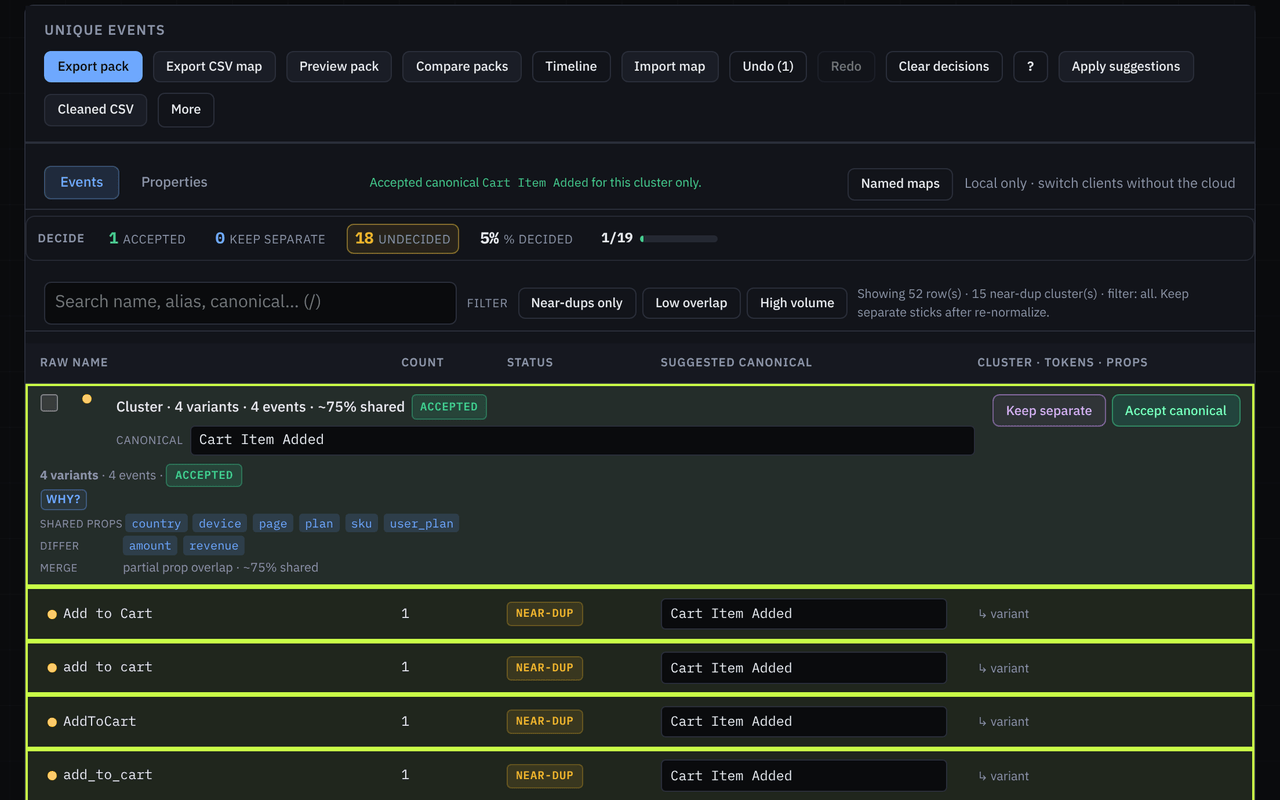
Cart Item Added.Worked example · Taxon 2.2 · sample file
Sample file (not a client export): the bundled Taxon Amplitude demo CSV. 52 event-name strings (50 after whitespace and casing cleanup) fall into 15 clusters. Taxon reads Mixpanel, Heap, PostHog, GA4, Segment, and warehouse exports the same way. Below: one Accept, one Keep separate, the pack, the next dump, and a quick look at Values.
Same actions under different spellings. A few from the file:
Add to Cart · AddToCart · add_to_cart · add to cartButton Clicked · button clicked · btn_clickedcta_clicked · Call To Action Clicked · call_to_action_clickedProperty keys drift too: button_id / Button ID, error_code / errorCode, user_plan / User Plan, sku / SKU.
01
Four “add to cart” spellings are one action. Accept one canonical, Cart Item Added, and the rest become aliases. Why? shows the shared tokens and properties behind the match.
Cart Item Added.02
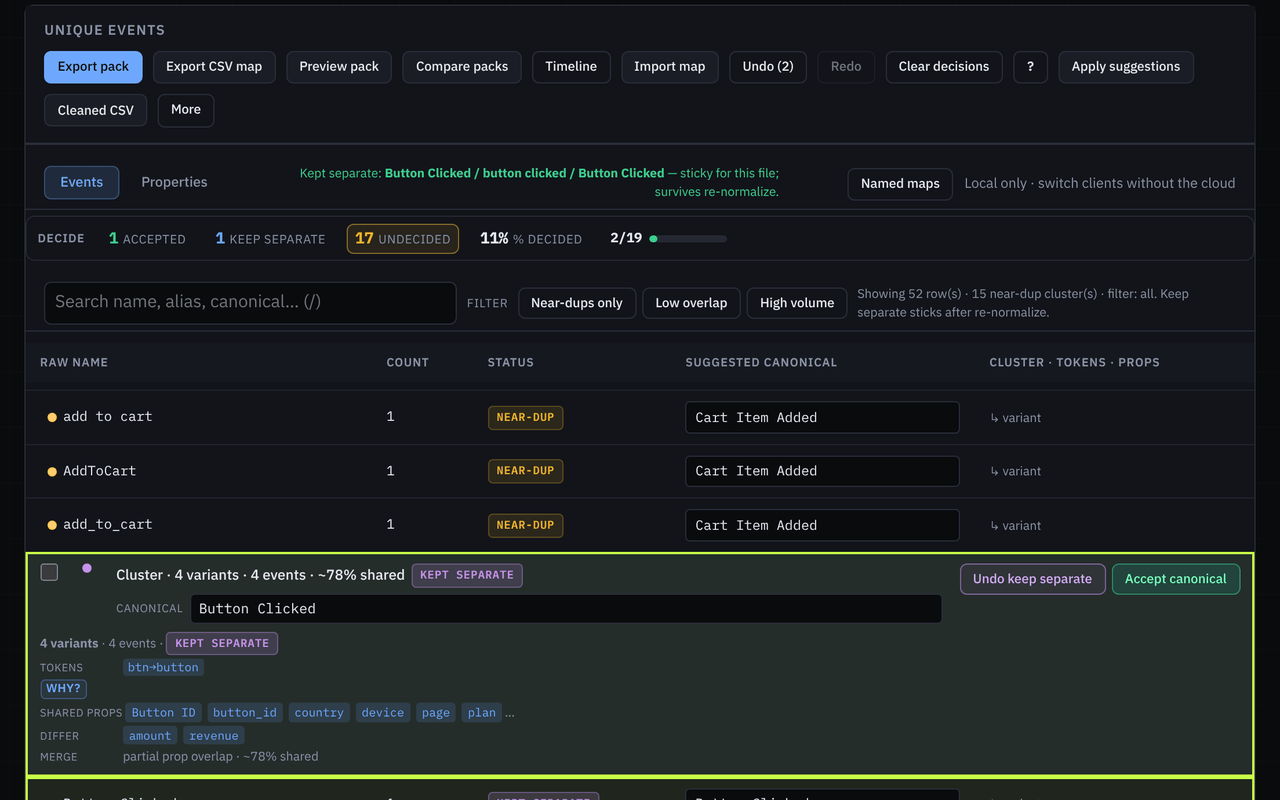
Not every near-match should merge. Button, CTA, and btn variants can be different product intents, so keep them apart when the meaning differs. Keep separate stays sticky when you re-normalize. The same Accept / Keep separate pass works on the Properties tab for near-duplicate keys.
03
Preview and edit the pack in-tab: notes under each canonical, plus template chips. Then export taxon-pack.md for the tracking-plan doc, taxon-pack.json, and taxon-map.json, the reusable map for next dump. A CSV map is optional for spreadsheets. Packs can carry value decisions when Values is used.
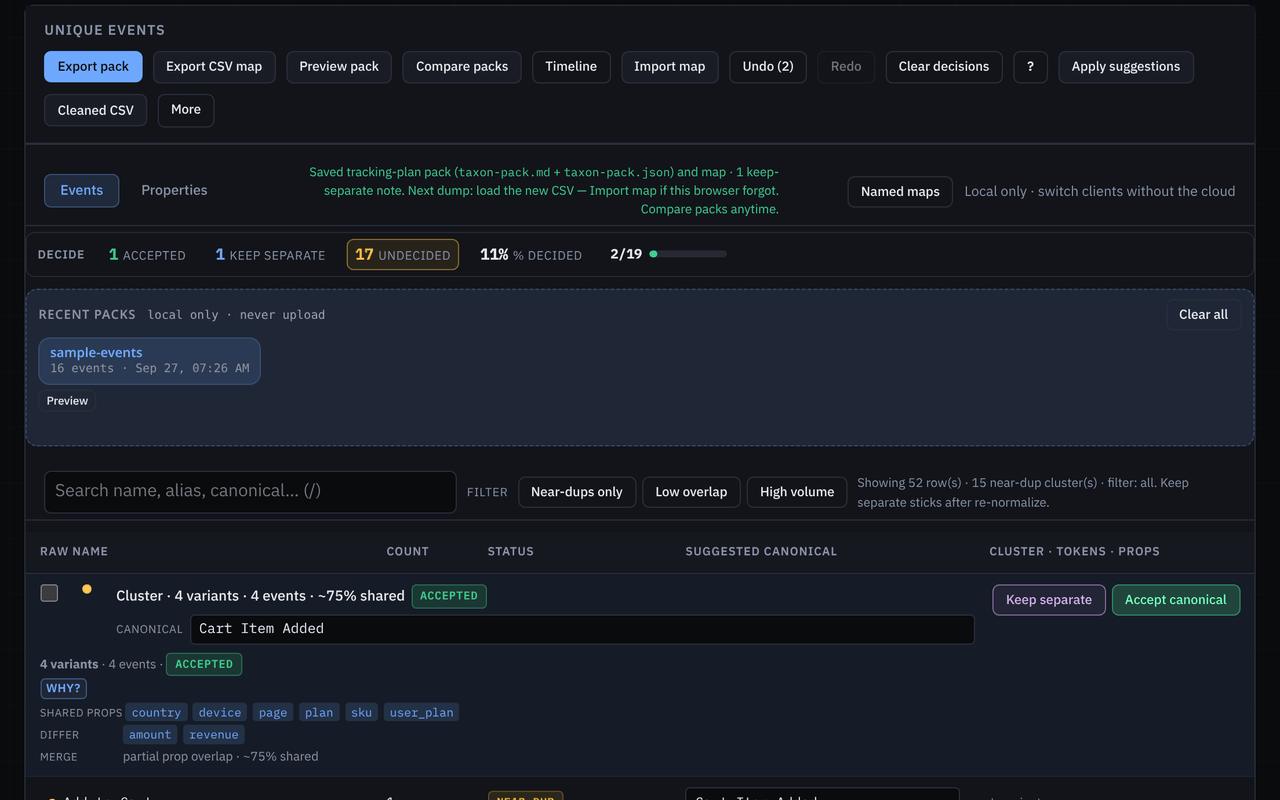
taxon-pack.md + taxon-pack.json + taxon-map.json.04
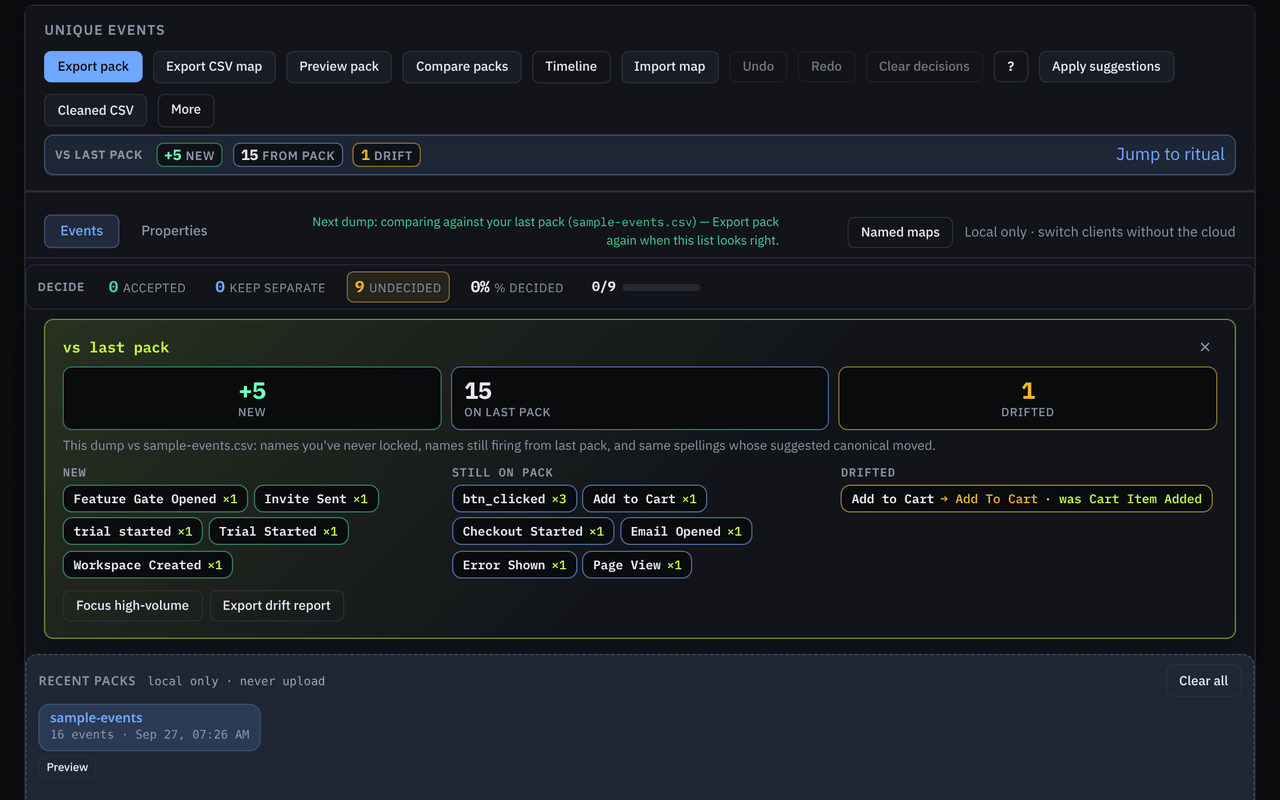
Open the following month’s file against the pack: new · on pack · drifted, with sticky counts that jump to the first new or first drifted name. A drifted name is an old spelling coming back, or a known name with a new suggested canonical.
05
Names are half the taxonomy. On the Values tab, Taxon picks eligible keys and skips IDs, emails, URLs, timestamps, and high-cardinality keys, each with a reason. Near-duplicate values cluster per key (US · U.S. · us). Accept or keep separate, then export taxon-values.csv or copy a dbt case snippet for accepted clusters. On the next dump, the banner shows new values · on last pack · drifted · stale keys.
The Values walkthrough uses the bundled Values sample: Values sample →
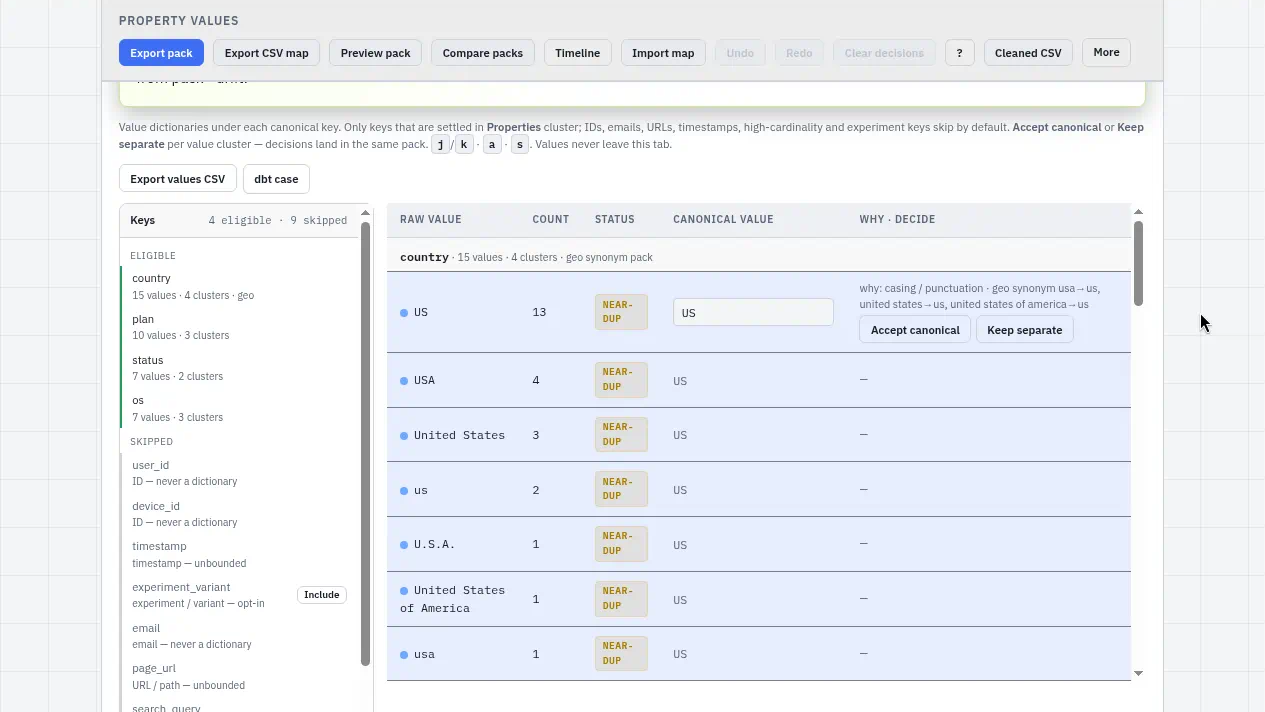
4 eligible · 9 skipped, country → US, with Export values CSV and dbt case.This pass ran client-side on a sample CSV, and nothing was uploaded for cleaning. Maps, packs, value decisions, and next-dump history live in this browser until you export them.
Next
Open the same Amplitude demo CSV (52 → 15), or drop your own export. Questions: hello@coldindex.net.