A rename is a mapping with a date, not a message in chat
How do you rename an event without rewriting history? Short answer: write every rename down as old name → canonical name, effective from a date, keep the old name as an alias so history still resolves, and diff the next export against that map. Below is a sample cutover worked through in Taxon — one map, one dated note, one next-dump check.
Sample file (not a client export). Event names are invented for this example.
A team moves from one analytics project to another — new vendor, new workspace, or just a cleanup sprint. Someone renames the obvious events, posts “we renamed signup stuff, see the wiki” in chat, and moves on.
Three weeks later the next export still has both spellings:
SignupSign Up Completed · signup_complete · user_signed_up
CheckoutCheckout Started · begin_checkout · checkout_start (legacy)
Projectproj_created · Project Created · workspace_created
Nobody can say whensignup_complete stopped being sent, so a weekly chart either double-counts the overlap week or drops the old name entirely. The wiki page says “renamed in Q3.” The tracking was mostly fine. The rename just never became a record.
01
Treat the rename as a map, not an announcement
Answer: a rename is a row — old → canonical — that a query, a pack, and the next person can all read.
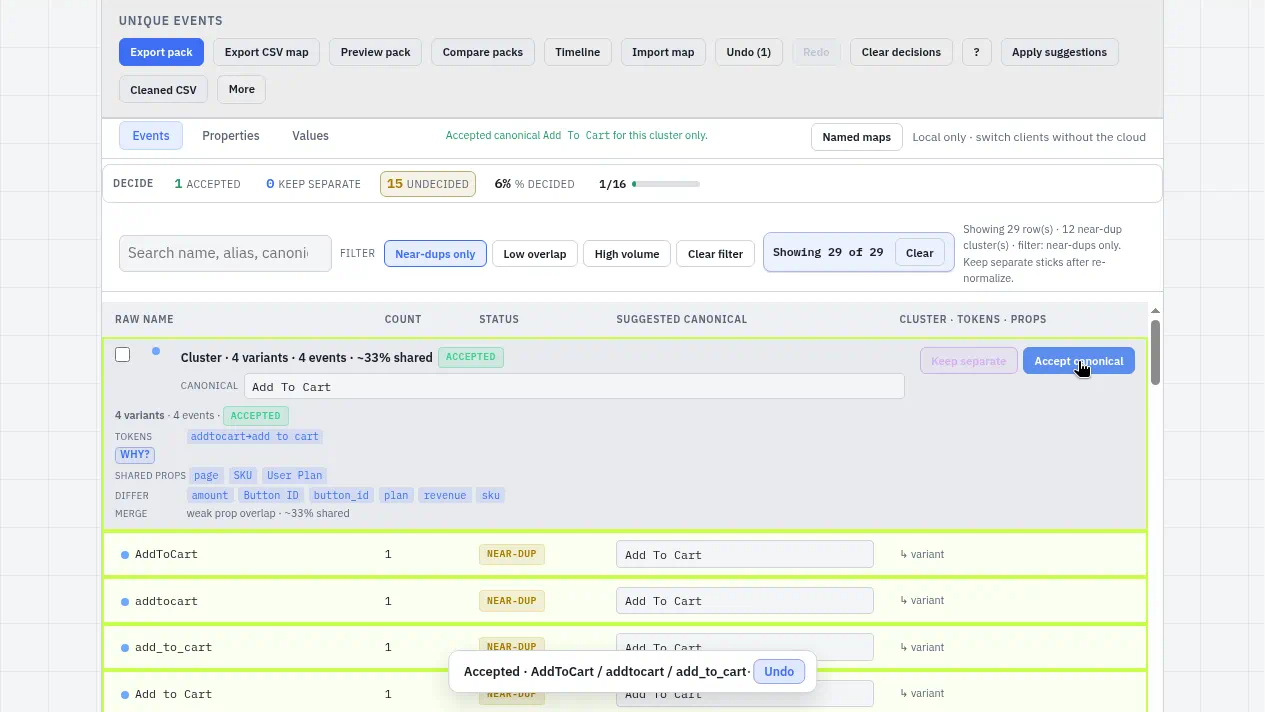
In Taxon, open the export and let the near-duplicates cluster. Sign Up Completed, signup_complete, and user_signed_up land together. Accept one canonical — say Sign Up Completed — and the other spellings become its aliases.
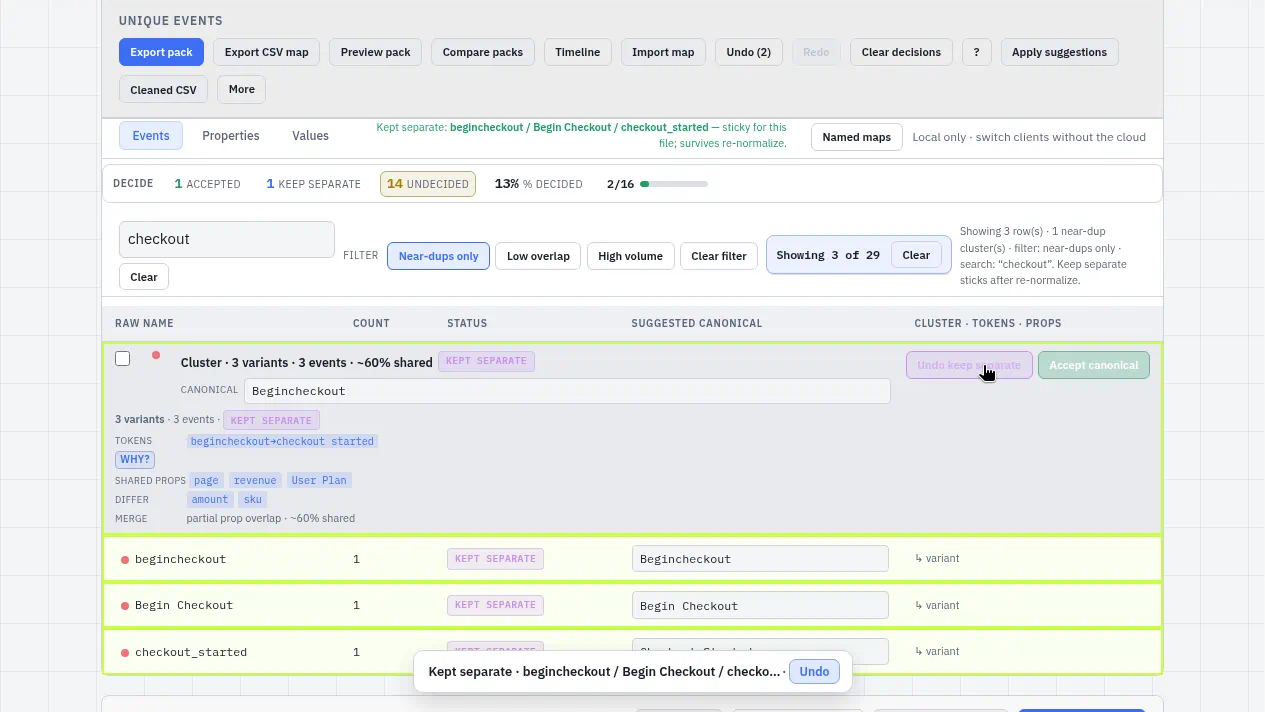
Not everything that looks close should merge. In the sample, workspace_created sits near Project Created, but a workspace and a project are different objects in the product. Keep separate, and that decision stays sticky when you re-open the file.
Accept · SAMPLE · four cart spellings → one canonical, the same move as folding the signup spellings into Sign Up Completed.Keep separate · SAMPLE · a near-match left as separate events; the decision sticks on re-normalize, as workspace_created would.
02
Keep the aliases so history still resolves
Answer: don’t delete old names; point them at the canonical.
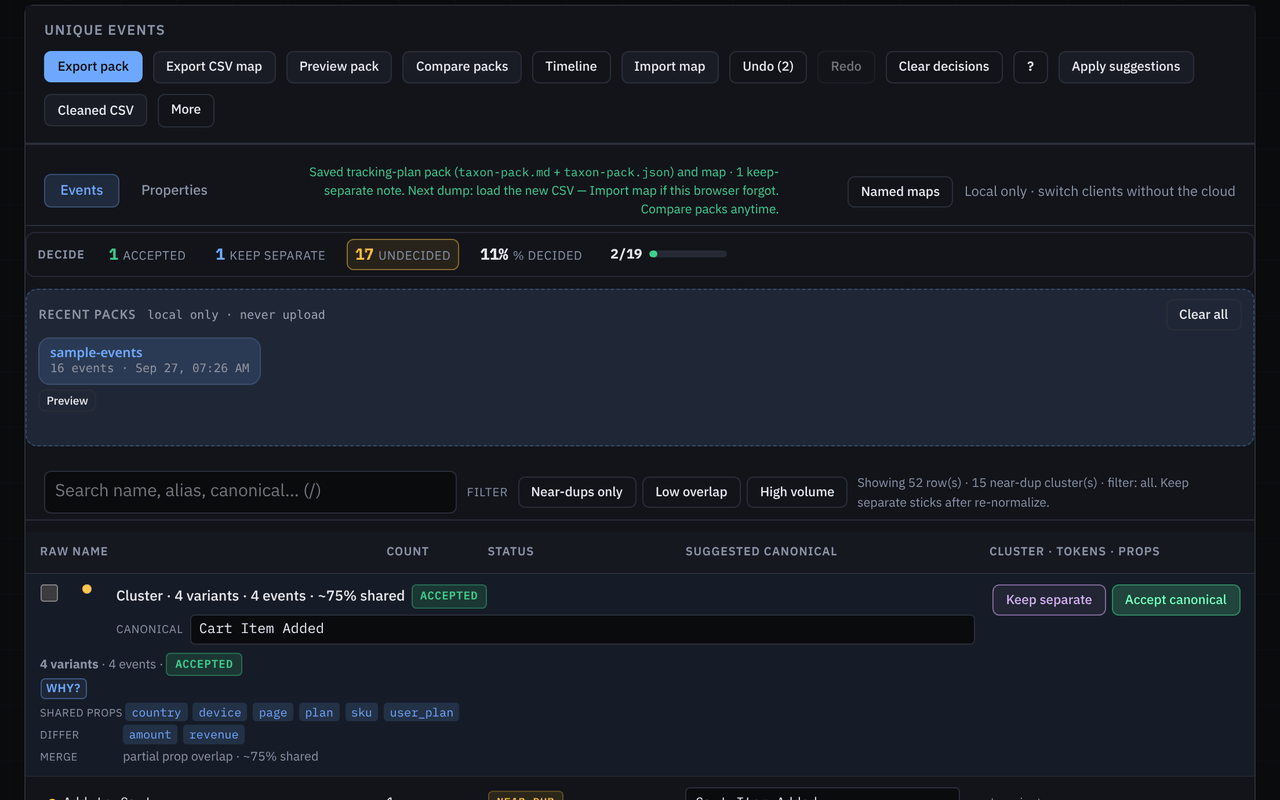
Old dashboards, saved queries, and warehouse tables still contain signup_complete. If the map only lists the new name, every historical question breaks quietly. The Taxon pack lists each canonical with its aliases and their counts, and the companion taxon-map.json is the portable old→canonical map you reuse on the next dump.
That same map is what you hand to whoever owns the warehouse model or the vendor’s merge/alias settings, so the change is made once, from one list.
Pack · canonical, aliases, volume — plus taxon-map.json for next dump.
03
Put the effective date on the rename itself
Answer: the date belongs next to the mapping, in the pack — not in a wiki page three clicks away.
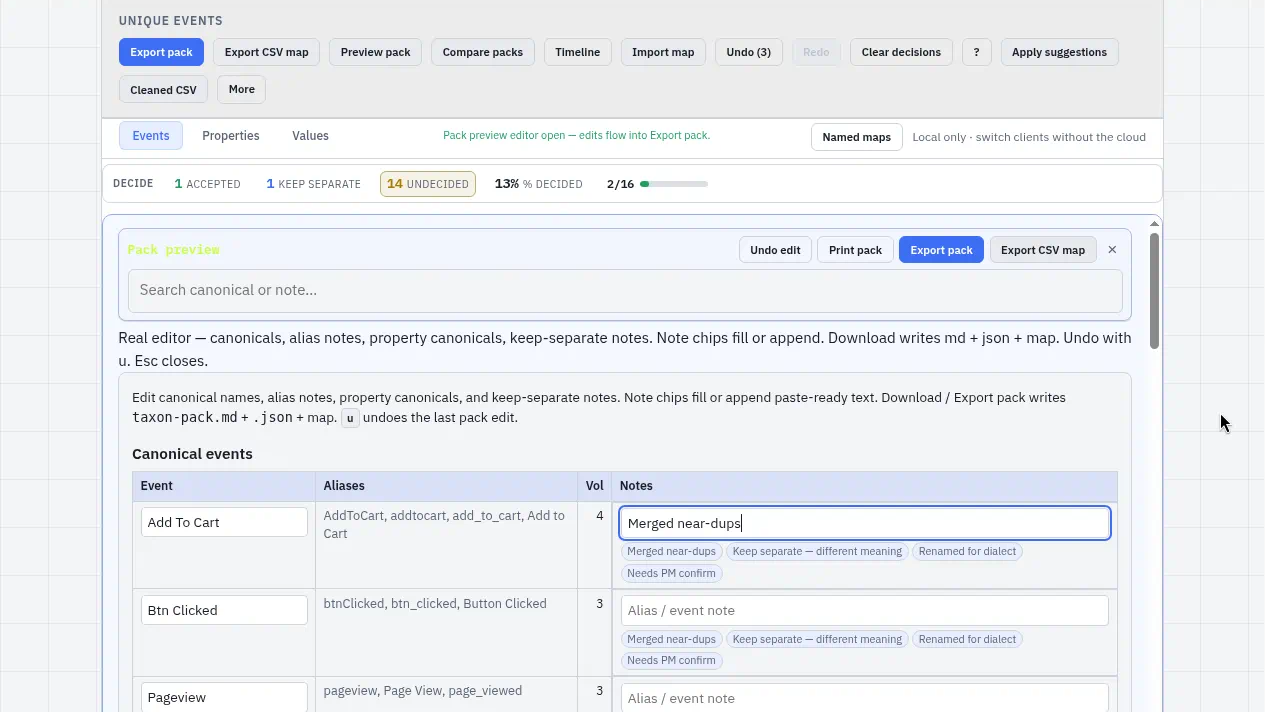
In the pack preview, add a note under the canonical. A template chip (“Renamed for dialect”) gives you a starting line; finish it with the facts:
Sign Up Completed — aliases signup_complete, user_signed_up. Effective 2026-08-14 (new project live). Before that date, query both. Owner: growth.
The pack exports as markdown for the tracking-plan doc and as JSON alongside taxon-map.json. The date travels with the rename, so the next reader doesn’t have to rebuild it from chat history.
Honest note: Taxon 2.2 has no dedicated date field. The effective date is a line in the pack note — plain text, versioned with the pack file.
Pack note · SAMPLE · notes live under each canonical; the “Renamed for dialect” chip is where the effective-date line goes.
04
Diff the next dump against the pack
Answer: after the cutover, the next export should show you what moved instead of making you hunt for it.
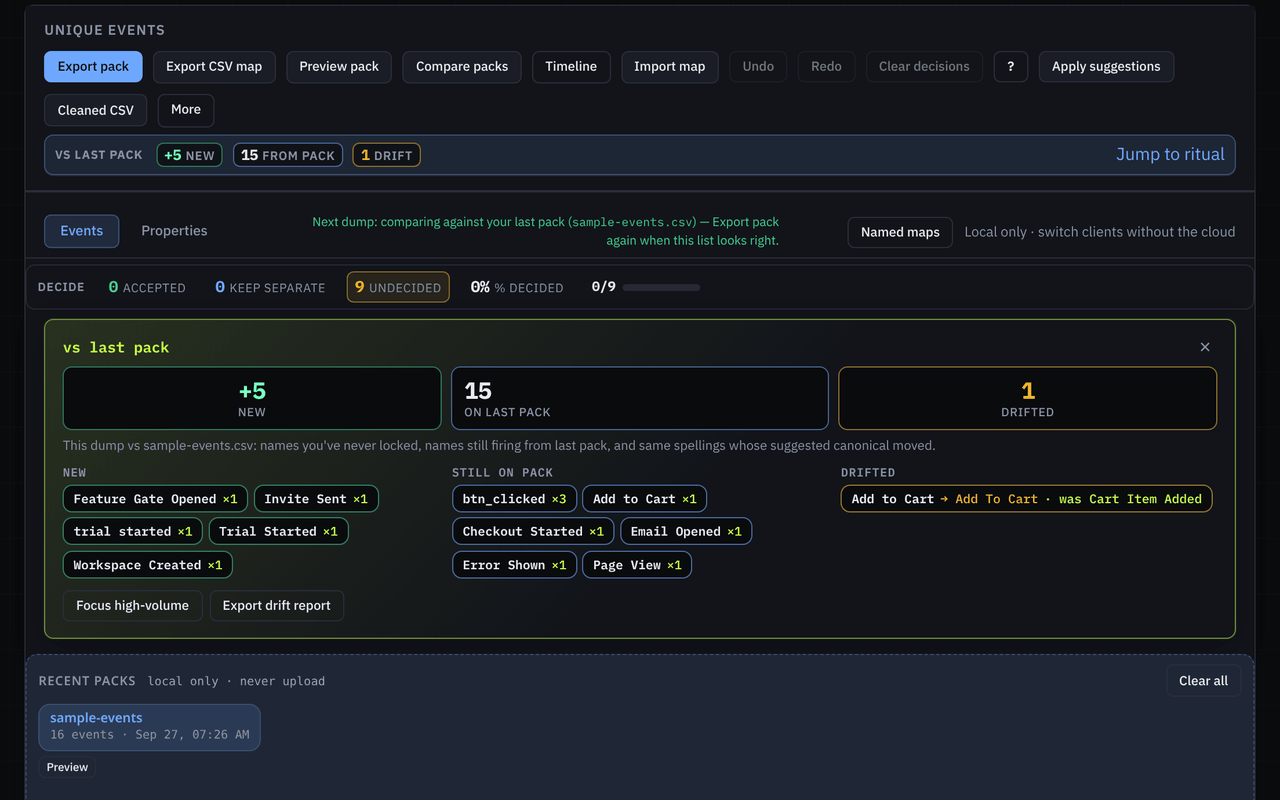
Open next month’s file with the pack loaded. Taxon sorts every name into new · on pack · drifted, with sticky counts that jump to the first new or first drifted name. In the sample:
Driftedcheckout_start (legacy) — still sent after the effective date
Newtrial_started — decide it before it gets three spellings
On packEverything already mapped sits quietly
A drifted alias after the effective date is the useful signal: that’s the release or SDK that still needs fixing.
Next dump · 1 drifted (checkout_start (legacy)), 1 new, rest on pack.
What Taxon does not do
Taxon doesn’t push renames into the vendor UI, and it doesn’t rewrite your warehouse. It gives you the map, the dated note, and the diff. Applying them in your analytics tool or dbt model is still your call, and now it’s one list instead of a thread.
Files stay in the tab
This pass ran client-side on a sample file — nothing uploaded for cleaning. Maps, pack notes, and next-dump history live in this browser until you export them.
Open Taxon and drop your export, or load the guided sample first. If you want a second pair of eyes on a messy rename, write to contact.coldindex@agentmail.to.