Treat the event log as a contract — and version the rules that enforce it
How do you require fields without breaking replays? Short answer: require a small set of fields at the edge, quarantine anything that fails instead of dropping it, and version the quarantine rules with the schema so a replay from a checkpoint runs the same checks. Then diff property values between dumps so drift shows up before it shows up in a chart. Below is a sample export worked through in Taxon — what it can show you, and where the contract has to live in your own pipeline.
Sample file (not a client export). Keys and values are invented for this example.
An event stream with no contract tends to fail quietly. In the sample file:
Missing identityA few Plan Upgraded rows with empty user_id and empty device_id
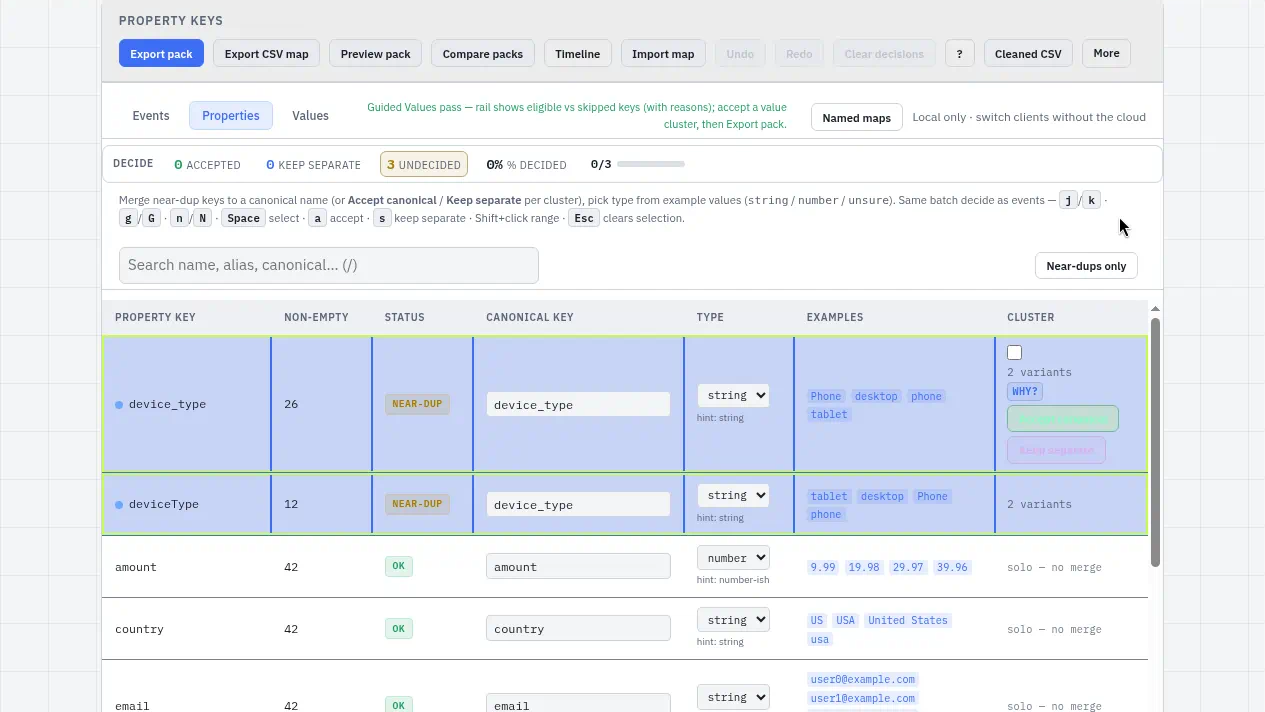
Same key, two spellingsdevice_type and deviceType both in use, each half-filled
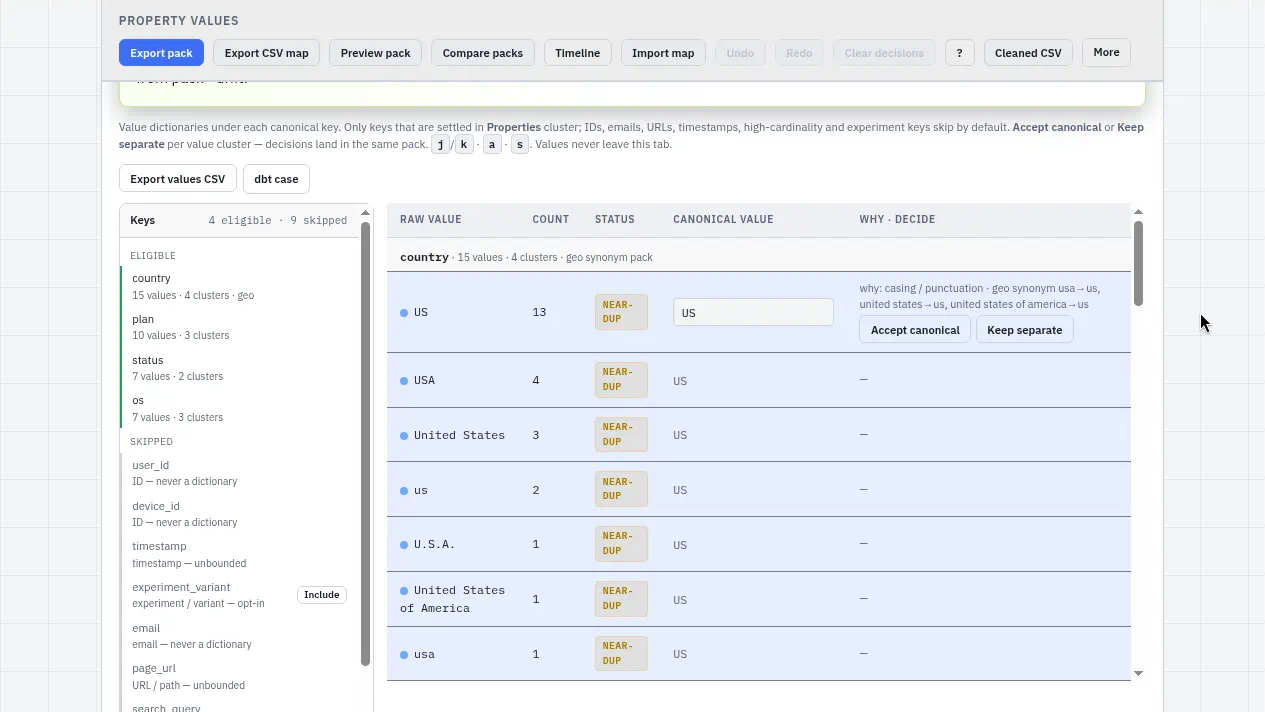
Same value, many spellingscountry = US · U.S. · us; os = iOS · ios
A key that quietly movedplan in one month, plan_tier the next
The usual “fix” is a filter that drops rows it doesn’t like — until a replay after the filter changed produces different totals. Two versions of history, no record of which rule produced which.
01
Require a small set of fields at the edge
Answer: pick the few fields without which an event is meaningless, and make them the contract.
A practical floor:
event_typeThe event name, from your decided list
timestampParseable, with a timezone
IdentityAt least one of user_id or device_id (or a session id)
Keep it small. A contract with forty required fields gets bypassed. A contract with four gets enforced. Everything else is optional and gets cleaned downstream.
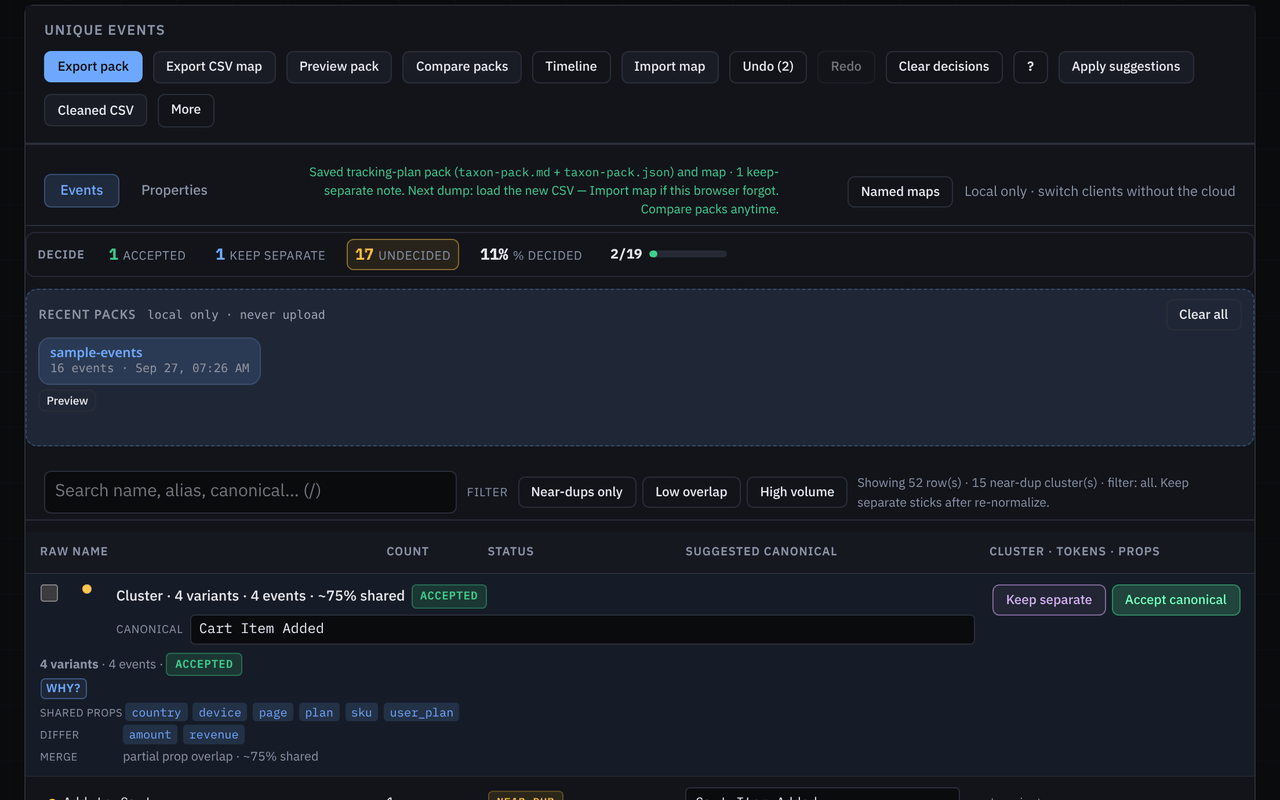
Taxon doesn’t enforce this. It shows you the starting point: the Events tab gives you the decided event list, and the Properties tab clusters near-duplicate keys (device_type / deviceType) so you pick one name before you write it into a schema.
Properties · SAMPLE · device_type and deviceType in one cluster
02
Quarantine instead of silently dropping
Answer: a bad event goes to a side table with a reason, not to /dev/null.
A quarantine row keeps the raw payload, the rule that failed (missing_identity, unknown_event_type, bad_timestamp), and the rule version. That gives you three things a drop never does: a count you can watch, a way to fix and re-admit events, and proof of what was excluded when someone asks why a number moved.
The rule list itself can be short and plain:
# quarantine rules — v3 (SAMPLE)
missing_identity user_id and device_id both empty
unknown_event_type event_type not in pack canonicals or aliases
bad_timestamp timestamp missing or unparseable
The “unknown event type” rule only works if the list of known names exists. That’s the Taxon pack: canonicals plus aliases, exported as markdown, JSON, and taxon-map.json.
Pack · canonicals + aliases — the known-names list a quarantine rule checks.
03
Version quarantine rules with the schema
Answer: the rules are part of the schema, so they get a version and live next to it.
If v3 of the rules adds bad_timestamp, a replay of August should either run v3 on purpose or pin v2 on purpose — never “whatever the filter says today.” Store the rule version on every quarantined row, and keep the rules file in the same repo and commit as the schema and the exported Taxon pack.
That way a replay from a checkpoint is reproducible. Same input, same rules version, same output, and a diff you can explain when the version changes.
Schema, rules v3, and pack in one folder and one commit, versioned together.
04
Diff values drift between dumps
Answer: the contract covers names and fields; values drift underneath it, so check them each dump.
On the Values tab, Taxon picks eligible keys and skips the rest, each with a reason. IDs, emails, URLs, timestamps, and high-cardinality keys are skipped by default, so the rail reads N eligible · M skipped. Near-duplicate values cluster per key with a plain why: accept US as canonical for U.S. and us, or keep separate when the meaning differs.
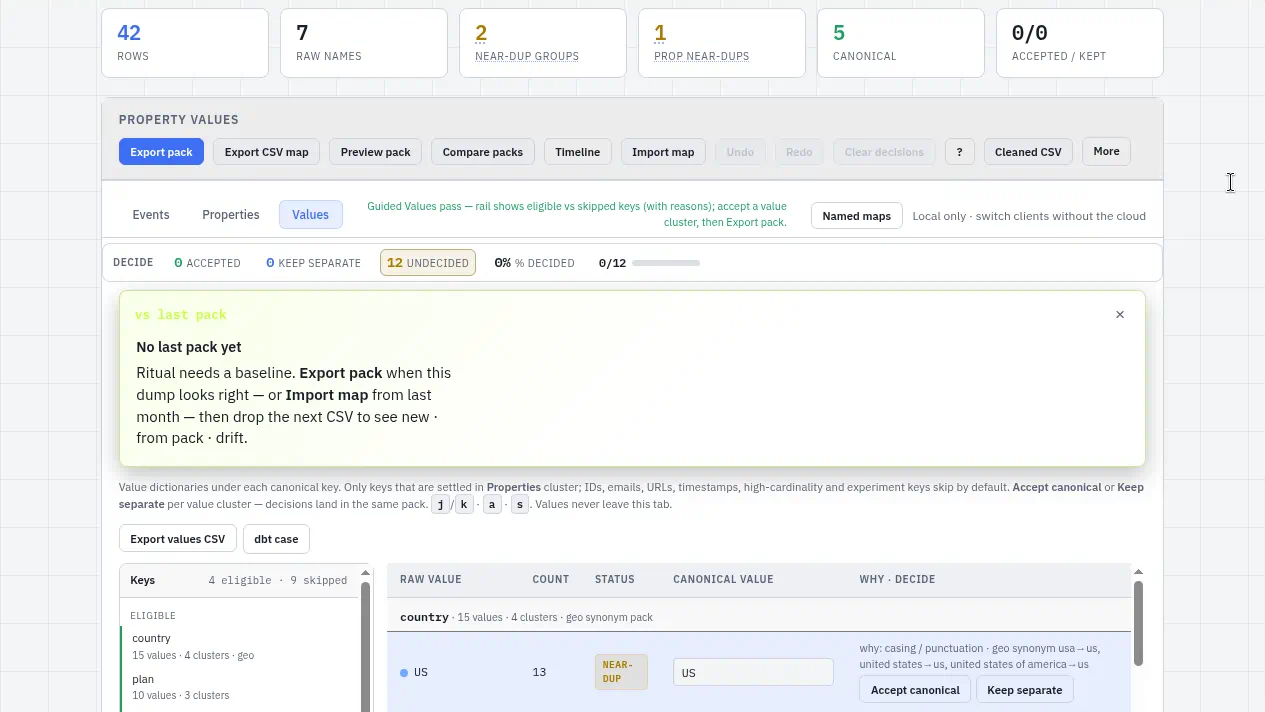
Load the next month’s file against the last pack and the banner shows new values · on last pack · drifted · stale keys. In the sample:
Drift → USU.S. comes back under country
Drift · keptWEB — a decision you already made
Stale + newplan disappears, plan_tier appears — a contract change
Export taxon-values.csv, or copy a dbt case snippet per key (accepted clusters only), and the cleanup lands in your model as reviewable code.
Values · SAMPLE · 4 eligible · 9 skipped rail, and country → accept US with a plain whyValues vs last pack · SAMPLE · first dump has no baseline yet; export the pack, then the next file shows new / on last pack / drifted / stale keys
What Taxon does not do
Taxon doesn’t run live ingest gates, sit in your pipeline, or quarantine anything. It reads an export in the browser and helps you see the mess: which names, keys, and values exist, and which drifted. With that list you can write the contract. Enforcing it is your collector, your warehouse, or your dbt model.
Files stay in the tab
This pass ran client-side on a sample file — nothing uploaded for cleaning. Packs, value decisions, and next-dump history live in this browser until you export them.
Open the Values sample, or drop your own CSV. If you’re drafting a first event contract and want a second read, write to contact.coldindex@agentmail.to.